How can we help?
Making a bookHow is each book made?
Each book is written and illustrated with the help of AI tools, from your idea and their library card, then checked before it reaches you.
Making a bookHow long does a book take?
About a minute to tell us about your child, then a few minutes while it's written and painted.
Making a bookCan I change the words?
Yes, any time, for free. Open the book and choose Edit the words: change any page in your own words, and Restore this page (or Restore original) puts ours back. Your words are the ones in the book, the booklet, any shared link and the printed copy.
Making a bookWhat can I change, and what does it cost?
You're in control of every word, and the price includes tries to make the book again. Here's what's free, and what's included.
- Edit the words: free, as often as you like. Change any word on any page of any book, the free first book too. The pictures stay as they are.
- New ideas, before the book is made: free. Change your words and ask the Author for new ideas, twice for each story, or tap Surprise me for more ideas to look through.
- The Book editor: 1 try with every book you buy. Make the book again from any step: the library card, the kind of book, your request, a new idea, or how the pictures look. Change as many steps as you like on the way: it's still one try.
- A printed copy: 2 tries, to get it just right before you press Print my book.
- If a try doesn't work on our side, you get it back.
- Pictures that didn't come out: ask for them again, free, up to 3 times.
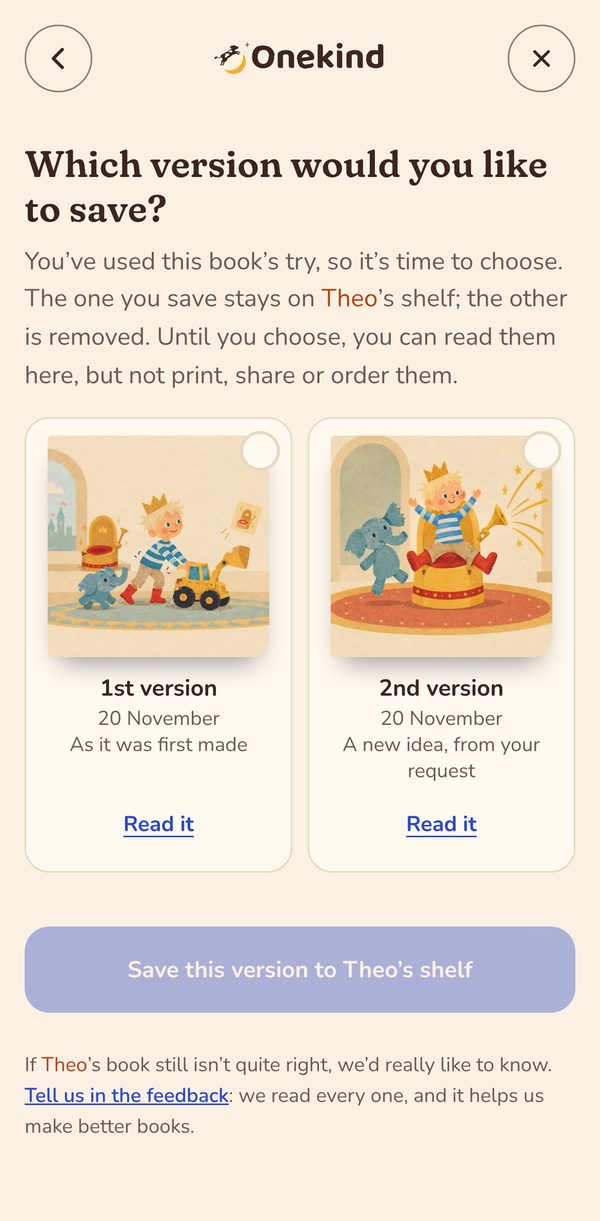
- You choose which version to keep. Nothing is shared, printed or ordered until you save it.
- The free first book: you can edit its words for free. It doesn't come with a try.
Making a bookWhere do I find Edit the words and the Book editor?
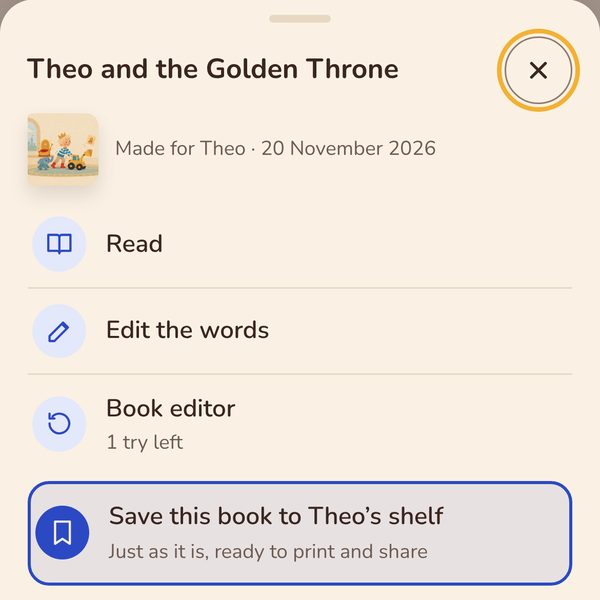
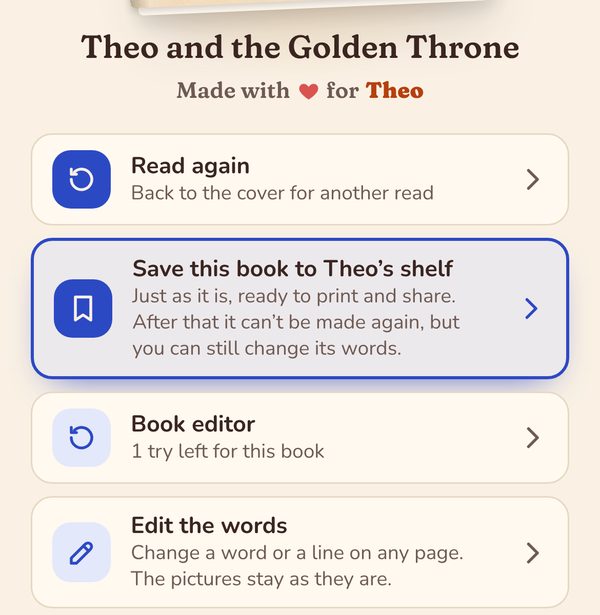
In two places: on your library shelf, tap a book's ⋯ menu; or read to the end of the book. Edit the words is free; the Book editor shows how many tries you have left.
On the shelf: tap the ⋯ under a book.
At the end of the book, under The end.
Making a bookHow do I edit the words?
It's free, and takes a minute.
Choose Edit the words. Every page is there, with its picture and its words.
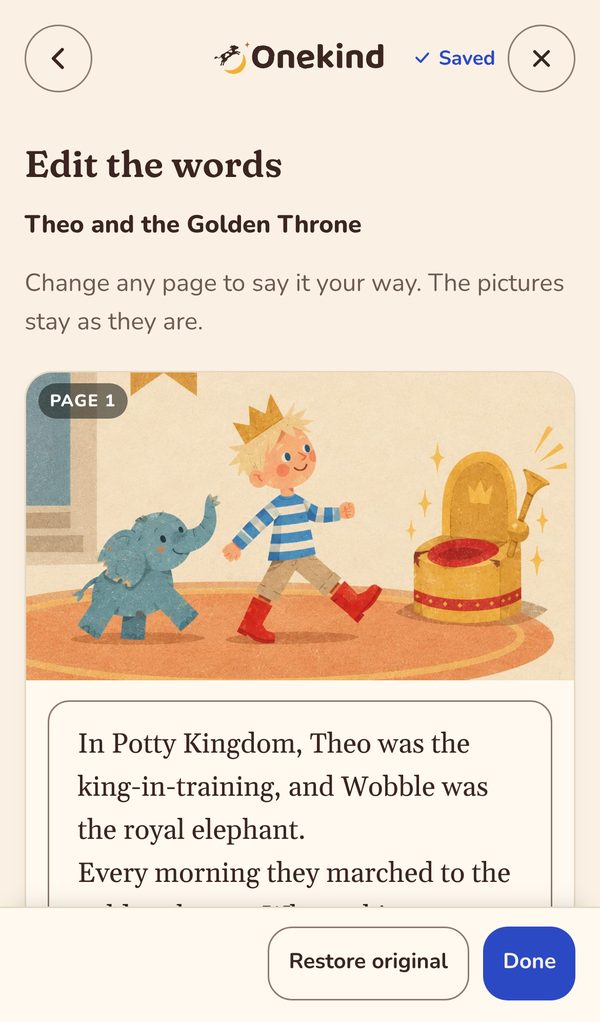
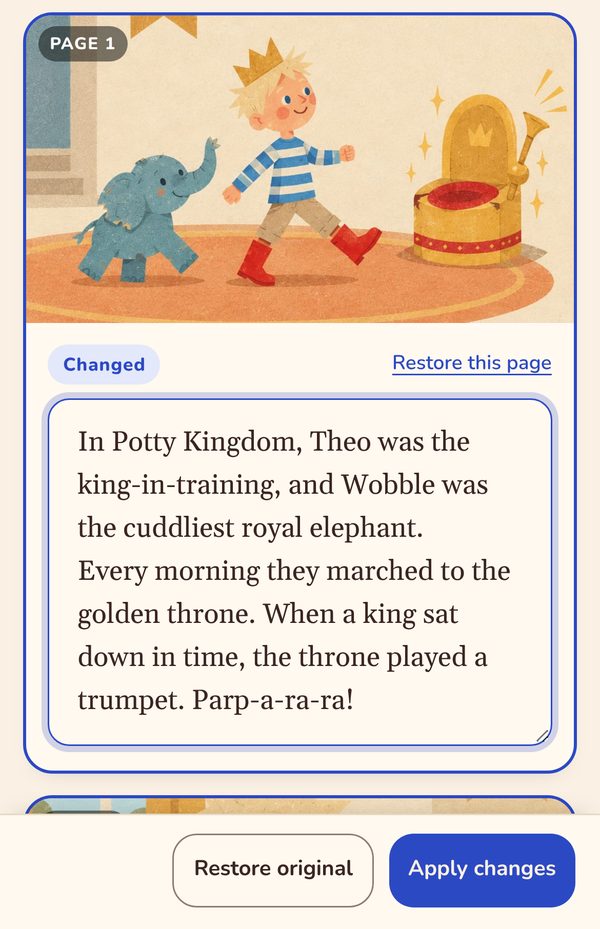
Change anything you like. A changed page is marked Changed, and Restore this page puts our words back. Then tap Apply changes: the book, the booklet, any shared link and the printed copy show your words.
Making a bookHow do I make the book again with a try?
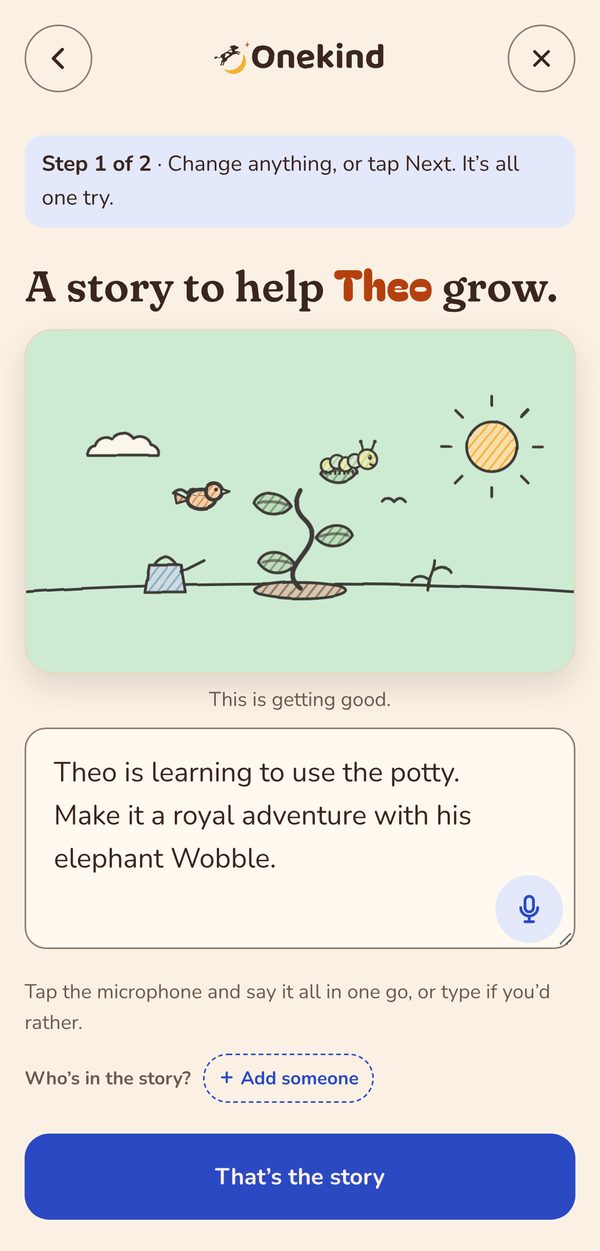
Open the Book editor. Everything you told us is already filled in, so you only change what you want.
Choose where to start: the library card, the kind of book, your request, or how the pictures look. The whole path is one try.
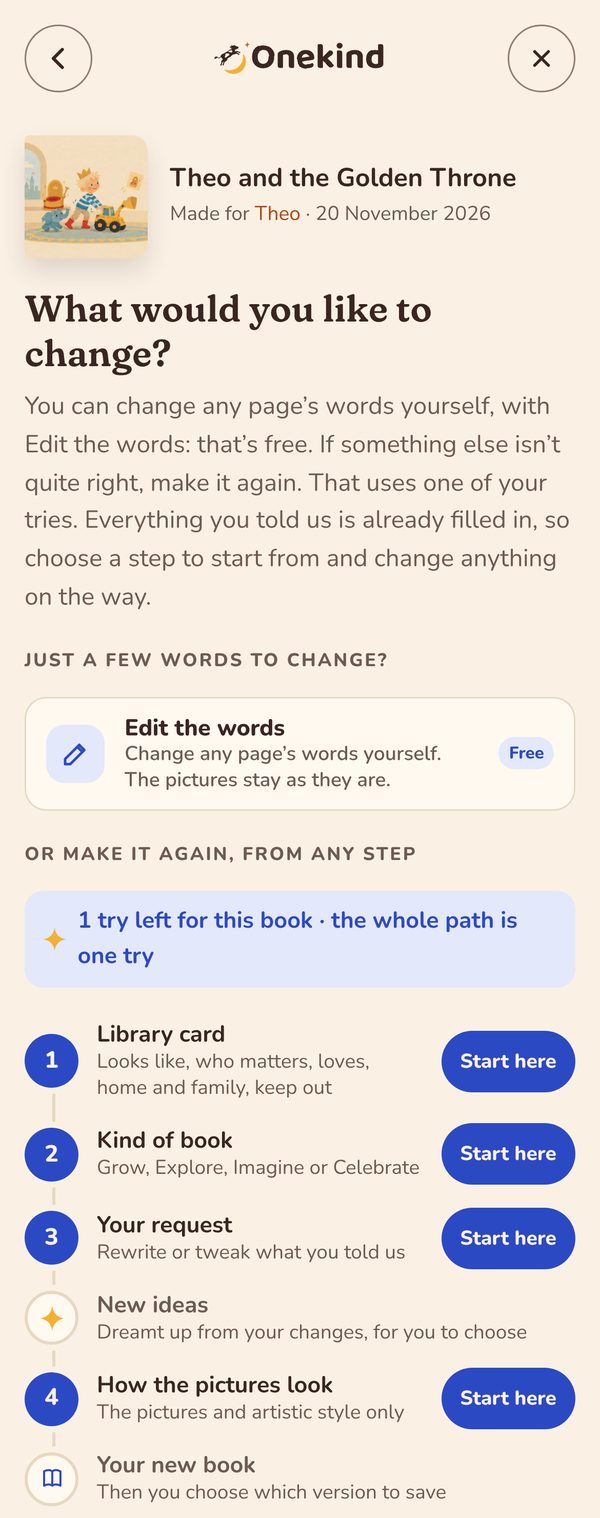
Change anything on the way, or tap Next. Nothing is made until you tap Make the new version.
Read both versions, then save the one you like best to the shelf.
Making a bookWhat languages can books be made in?
English and Hebrew for now. Hebrew books read from right to left, in print too.
Making a bookWhat ages are the books for?
From babies to age eight. The length and the words fit their exact age.
Library and sharingWho can see the books I make?
Only you, and anyone you choose to share a book's link with.
Library and sharingCan I make books for more than one child?
Yes. Every child has their own library card and shelf.
PrintingHow do I print a book at home?
Open the book and choose Print. You get a booklet to print on both sides and fold, ready for tonight's bedtime story. Printing at home is for books you've bought.
Print it on both sides (the usual setting), at actual size and in colour. Each sheet of A4 holds four pages.
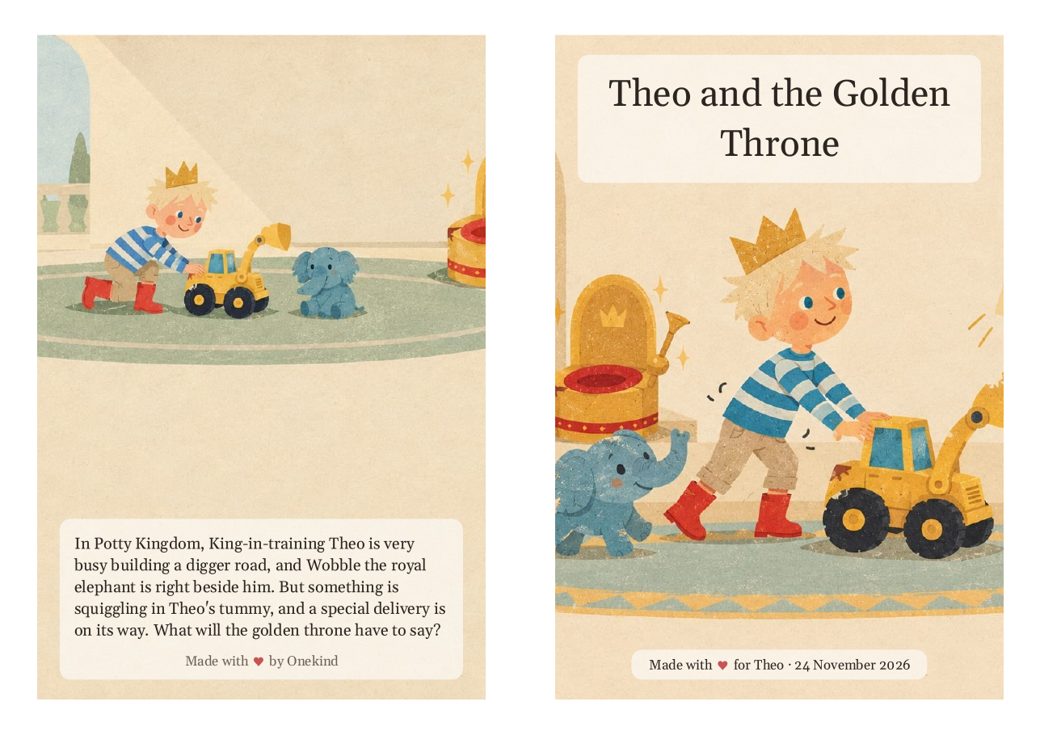
Keep the pages in the order they came out, all facing the same way, and fold the pile in half. Two staples on the fold line, and it's ready to read together.
PrintingCan you print and post it?
Yes. Order any book as a hardback or a paperback, 21 cm square, printed in the UK: the words on one page and the full picture facing it, with keepsake pages you choose. Order 1 to 5 copies, sent with tracked delivery to any UK address, so it can go straight to the child as a gift. A paperback is £24.99 and a hardback £29.99, with £3.99 postage per order. Before you pay, we show an estimated delivery date.
PayingHow do I pay?
By card, Apple Pay or Google Pay, securely through Stripe. We never see your card details.
PayingWhat if a book isn't right?
First, you can change it: edit any words for free, or make it again with the Book editor's try. If it still isn't right, email hello@onekindbook.com and tell us what happened. For a book you paid for, we'll add a book on us so you can make another. If a book is faulty, we'll put it right or refund it. Our Refunds and cancellations page explains the rest.
Safety and privacyHow do you keep the stories safe?
Every story and every picture is checked before it reaches you.
Safety and privacyWhat do you do with my child's details?
We use them only to make their books. No ads, and we never sell them. They go only to the services that help make the book, all listed in our privacy policy.
Your accountHow do I delete my account and data?
From your account page: Manage my data, then Download, or Delete my account. After you ask, we keep everything for 30 days in case you change your mind, then delete it.